Reel Pipeline Kit
$39
The six-stage pipeline as a local web app. Three scenario providers, two voice paths, two clip paths, brand panel, render history, the 17-section playbook, a four-minute walkthrough and twelve months of updates.
Get the kitRoll 01 · one-time price
I publish nearly every day, and for a long time every article ended its life as a wall of text. So I built the thing that reads the article, writes a screenplay, narrates it in my cloned voice, syncs the captions word by word and hands back an mp4. It runs on my own laptop and a render costs me nothing.
Or read how it works first: The Article-to-Reel Playbook, free.
Six frames · one pass
Every step below is a real stage the kit runs, in order. Keep scrolling and the gate on the left advances through them the way one render does.
A few days ago, I clicked a button in my own article editor. A 55-second vertical MP4 fell out the other side. Narrated in my cloned voice and captioned word-for-word.
article.txt · 5 815 charsAnd out comes a finished reel
captions.ass · karaoke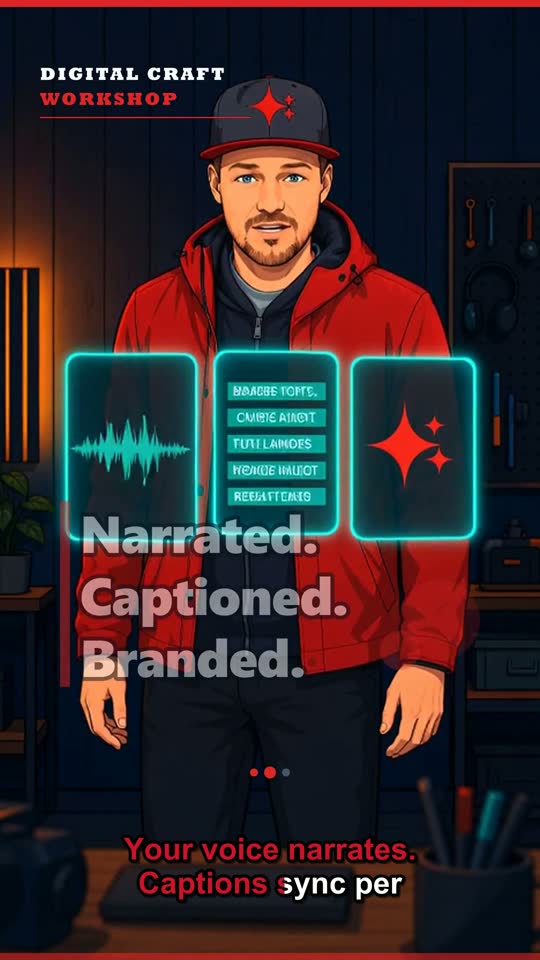 scene-03.mp4 · i2v clip
Paste the URL of one of your posts. The kit pulls the body text and every inline image from it. Paywalled, or published somewhere else entirely? Paste the text instead.
A model turns the article into four to six scenes with narration and headlines. Gemini 2.5 Flash-Lite on the free tier, OpenAI gpt-4o-mini, Anthropic Haiku or any model through one OpenRouter key. You then edit every line by hand before a single frame renders.
Kokoro runs on your CPU with nine voices and an 80 MB model, and costs nothing per month, forever. ElevenLabs Starter is $5 a month, clones your voice in about a minute and returns per-word timestamps.
Those timestamps become ASS karaoke subtitles, so one word lights up at a time instead of a whole line appearing at once. Your brand colours, your headline font.
Ken Burns motion on the stills is free and needs no GPU. Wan 2.2 through local ComfyUI takes roughly five minutes a scene on an RTX 3060 and also costs nothing. Replicate does the same without any GPU at all: about $0.40 per five seconds on Wan 2.2, about $0.18 on Seedance Lite.
ffmpeg stitches the frames, the audio, the captions and any clips into one 1080 × 1920 mp4. It lands in the render history, where you can re-open the scenario and render it again with one scene changed.
Contact sheet · seven takes
No mockups on this page. Click a cell and it streams the actual file the pipeline produced. They start silent — a sound button appears once one is running.
RPK · DCW · 1080×1920 · SAFETY ✱ SAFETY ✱ SAFETY ✱
Screening room
Eight short episodes over the real interface, plus the original demo. Nothing loads from YouTube until you click a thumbnail.
What you actually run
You unzip the download, run one installer script and open localhost:3000.
The keys you paste live in a gitignored data/settings.json on your disk
and go to the providers you chose, never to me. There is no account, no database and
no server of mine between you and the render.
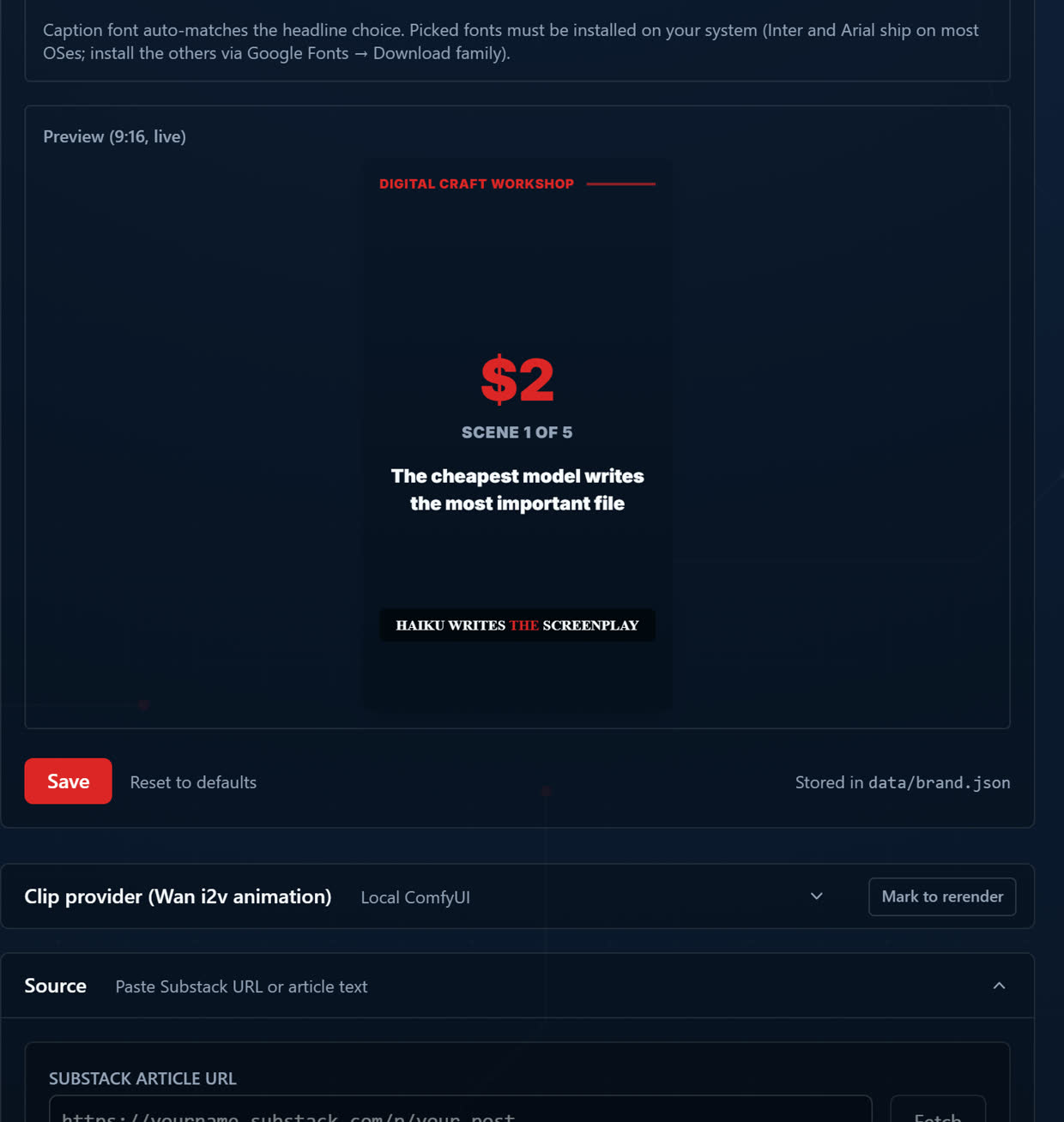
Voice, music, branding and clip settings each get their own panel. The 9:16 preview inside the branding panel updates while you type, so you can get the look right without burning a render.
Before you buy
This lane is narrow and the kit is good inside it. Here is the edge of the lane, so nobody buys the wrong thing.
Stills get subtle motion — breathing, a light shift, a slow push-in. A character rubbing their temple, a cursor dragging, a counter ticking up: that is choreography, and this does not do choreography.
Image models garble text. A product popup with real names or a cascade of messages on a phone screen needs compositing you would do somewhere else.
Narration is voiceover laid over the visuals. Nobody on screen speaks with synced lips.
If your script is written for performed action and spoken dialogue, use one of those. If you want your article as a shippable reel with your voice, your captions and your brand, rendered on your own machine, this is the one.
“I first discovered Daniel's Reel Pipeline Kit through his writing about the process on Substack. I was THRILLED when he released the Kit and could implement it myself. I had one challenge when testing it; Daniel responded quickly, solved the issue, and it's working great! This has opened so many possibilities with reels and shorts! Super easy to set up and use. Highly recommend!”
One-time
HeyGen Creator is $29 a month. The kit is $39, once. That is the whole argument for the price.
$39
The six-stage pipeline as a local web app. Three scenario providers, two voice paths, two clip paths, brand panel, render history, the 17-section playbook, a four-minute walkthrough and twelve months of updates.
Get the kit$79
Everything above, plus the parts that make it a habit: a queue worker that survives restarts, Telegram pings when a render lands, draft-first Substack publishing and an MCP server so you can drive the whole thing from Claude.
Get Pro$69 $78
The kit bundled with Faceless Channel OS Core, which takes the finished mp4s and publishes them daily to YouTube Shorts and Instagram Reels.
See the bundle$119 $138
Kit Pro bundled with Faceless Channel OS Complete — the queue on one end, the daily publish cron, dashboard and analytics on the other.
See the bundleThirty-day refund if the pipeline will not run on your machine after you have followed the README. Send the error and the install log and I will either fix it or refund you.
Questions
npm run update.